Conduct inspections, flag issues and resolve problems together
Retool is the quickest way to build custom tools for financial operations. Companies like Ramp, Plaid, and Coinbase use Retool to onboard users, monitor transactions, and more.
.svg)







Empower your to be your eyes in the field
SafetyCulture (iAuditor) is a mobile-first application that allows you to digitize all the elements of your operations. As an inspection management software, SafetyCulture lets your team capture consistent data, identify areas of improvement, share reports and collaborate across working teams – all from one easy-to-use app.
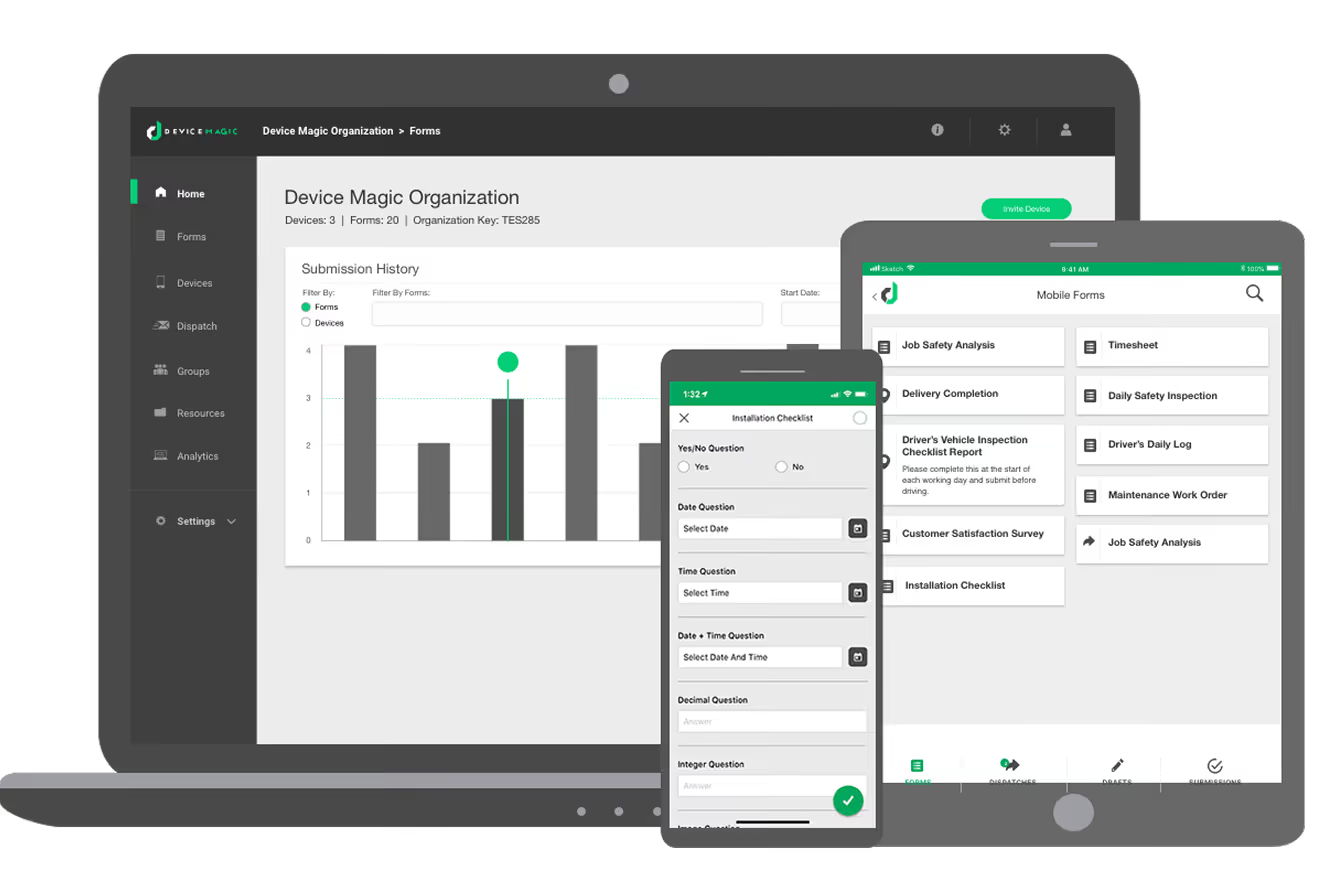
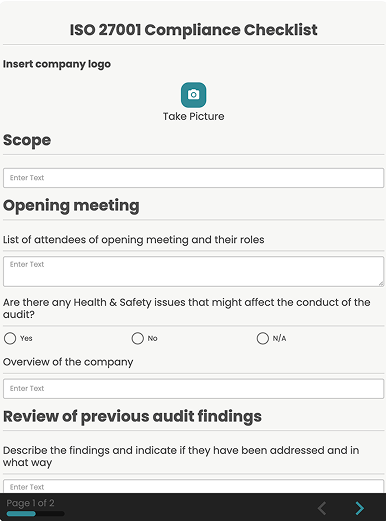
Setup checklist forms in minutes
Convert your current paper checklists or Excel spreadsheets into smart inspection forms in minutes. Our drag and drop template builder makes it easy to create customized forms.
Add logic to help your team complete inspections faster
Make your inspections quicker and easier to complete by showing and hiding fields depending on the answer that your team members select.
Assign follow-ups to get the job done
Assign an action from an inspection if there’s a follow-up task that needs to be done to resolve a flagged item. Set the due date and priority level, then assign them to the person who should address the situation, even if they don’t have a SafetyCulture (iAuditor) account.
Generate and share custom reports
Instantly generate a report after an inspection is complete that shows off your unique brand. Share it with your team, managers, clients or customers with the tap of a finger.
Communicate with your team
Reach your teams, no matter where they are and always know they received the message. Heads Up makes workplace communication easy by allowing you to create and send engaging video messages in seconds.
Make under-reporting a thing of the past
Empower anyone to capture what they see and instantly notify the right people. Allow team members to skip over-complicated forms by reporting observations, hazards, near misses, and more right from the app or via QR code.
View performance and trends
Automatic syncing between mobile devices and desktop platform provide real-time analytics dashboards. Get visibility into your productivity, compliance, accuracy and more.
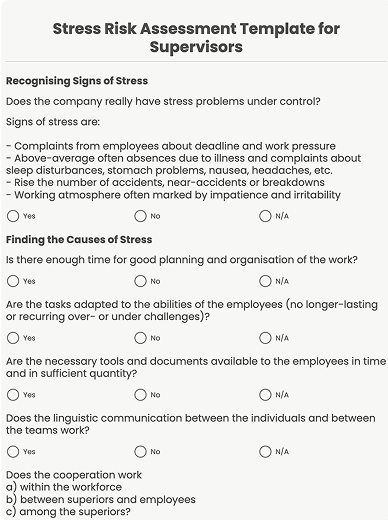
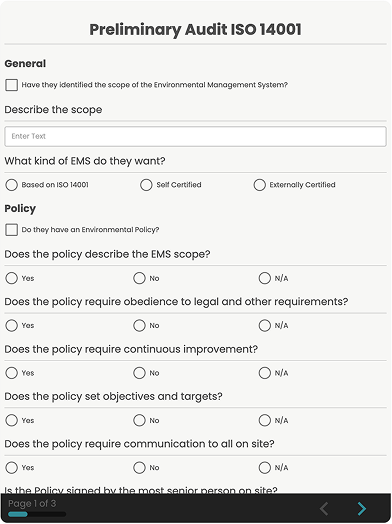
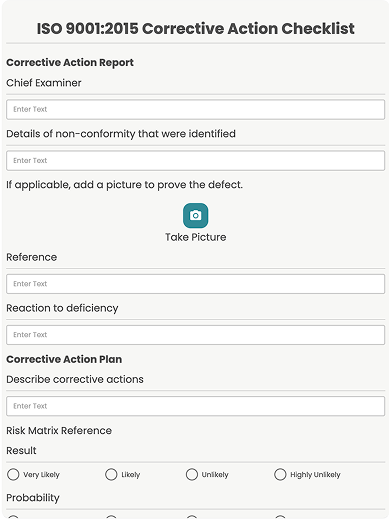
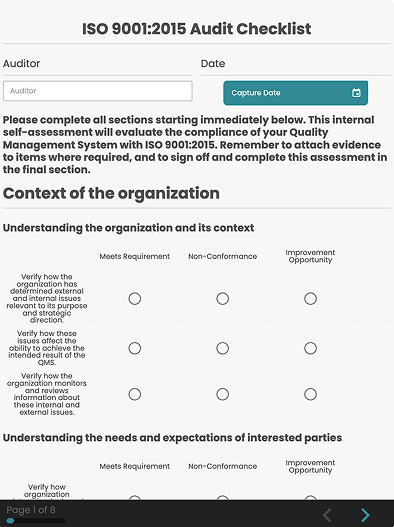
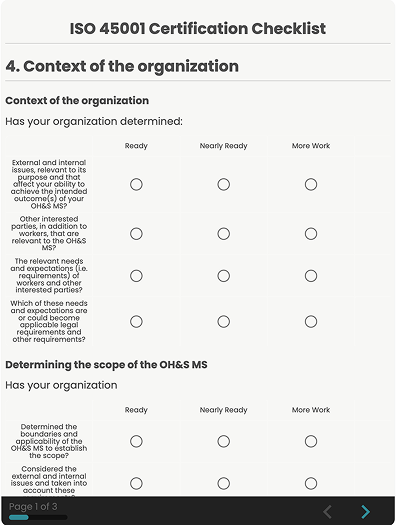
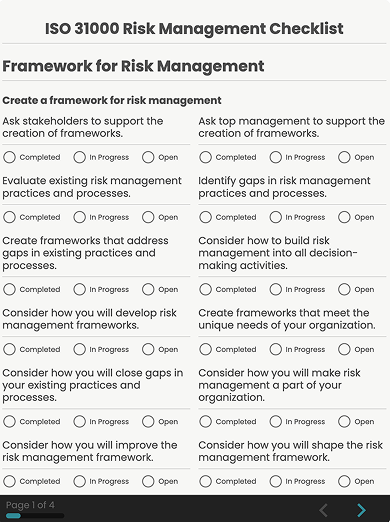
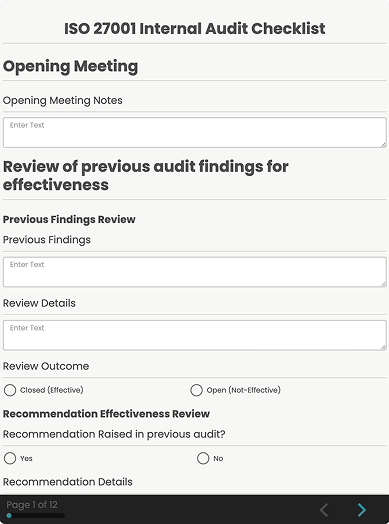
Top Forms for Inspection



Do even more with Array
Connect to your favorite tools and customize your team set up to match your unique needs. SafetyCulture (iAuditor) helps teams discover efficient ways of working, saving time and money without compromising quality or safety.

Team Managment
Set up groups and user permissions within your team to quickly share data and collaborate with ease.

Integrations
Connect SafetyCulture (iAuditor) to business software systems such as Tableau, PowerBI, SAP and more.
%201.svg)
Dashboards
Connect SafetyCulture (iAuditor) to business software systems such as Tableau, PowerBI, SAP and more.

Automations
Connect SafetyCulture (iAuditor) to business software systems such as Tableau, PowerBI, SAP and more.
General questions about Array
What’s included in each Array plan?
Each plan includes access to our form builder, real-time dashboards, offline data collection, workflow automation, and basic support. Higher-tier plans unlock advanced features like AI-driven reporting, integrations, live video collaboration, and premium support.
Can I try Array before committing to a plan?
While Array doesn’t offer a free plan, we do provide a 30 day free trial, personalized demos and guided walkthroughs so you can see the platform in action before making a commitment. Our team will help you explore the features that matter most to your workflow and answer any questions you have. This way, you can make an informed decision with confidence. To schedule a demo, simply reach out to our sales team.
How does pricing work for large teams or enterprise clients?
For large teams or enterprise clients, we offer custom pricing tailored to your specific needs. Whether you require advanced security features, dedicated support, user management controls, or large-scale form usage, we’ll work with you to create a plan that fits your organization. Our enterprise packages also include onboarding assistance, custom integrations, and SLA-backed uptime guarantees. To learn more or request a personalized quote, please contact our sales team.
Do I need to be technical to use Array?
Not at all! Array is designed to be user-friendly and accessible to everyone. No coding or technical skills required. Our intuitive drag and drop form builder makes it easy to create powerful, professional forms in minutes. Whether you're collecting data in the field, managing workflows, or analyzing responses, Array simplifies the process so you can focus on results, not the tech. And if you ever need help, our support team is just a click away.
Is my data secure with Array?
Yes, your data security is our top priority. Array uses industry leading security protocols to keep your information safe, including data encryption in transit and at rest, secure cloud infrastructure, and regular security audits. We also offer role based access controls, user permissions, and optional enterprise-level security features to meet compliance standards like GDPR, HIPAA, and more. Whether you're collecting sensitive data in the field or managing it in the dashboard, you can trust that your information is protected with Array.
Can I upgrade or downgrade my plan at any time?
Yes! With Array, you have the flexibility to upgrade or downgrade your plan whenever your needs change. You can make adjustments directly from your account settings, and any changes will be reflected in your next billing cycle. Whether you're scaling up your team or streamlining your usage, we make it easy to switch plans without disruption. If you need help choosing the right plan, our support team is always here to assist.
What support options are available?
Array offers a range of support options to ensure you get the help you need, when you need it. All users have access to our comprehensive Help Center, filled with guides, tutorials, and FAQs. For more direct assistance, you can reach our support team via email or live chat. Enterprise clients also receive priority support, including a dedicated account manager, onboarding assistance, and optional phone support. No matter your plan, we’re here to help you get the most out of Array.